

Download Tipper APK – restaurant bill calculator, tip calculator, group bill splitter, bill splitter, restaurant tip calculator, calculate tip, split bill, tip calculator app
Overview
Tipper is a lightweight desktop application designed to simplify the process of splitting restaurant bills among groups of people. The software addresses a common social challenge: the often awkward and time-consuming task of dividing a meal cost fairly, especially when multiple individuals are involved. By automating the calculation of individual contributions, Tipper helps prevent misunderstandings and reduces tension during post-meal settlements. It is particularly useful for diners, social groups, or event organizers who frequently need to divide shared expenses.
The application focuses on core functionality—calculating the total bill, applying a customizable tip percentage, and distributing the final amount per person. It is intended for casual users seeking a straightforward solution without unnecessary complexity. The developer, Tipper, has created a minimalistic tool that prioritizes usability and speed. Real-world usage scenarios include dinner parties, business lunches, or family outings where group payment is required. The software operates offline, making it accessible in any dining environment, regardless of internet availability.
Key Features & Capabilities
- Customizable Tip Percentage – Users can set their preferred tip rate, allowing for flexibility across different service standards and regions.
- Group Bill Splitting – The software calculates how much each person in the group should pay based on the total bill and tip amount.
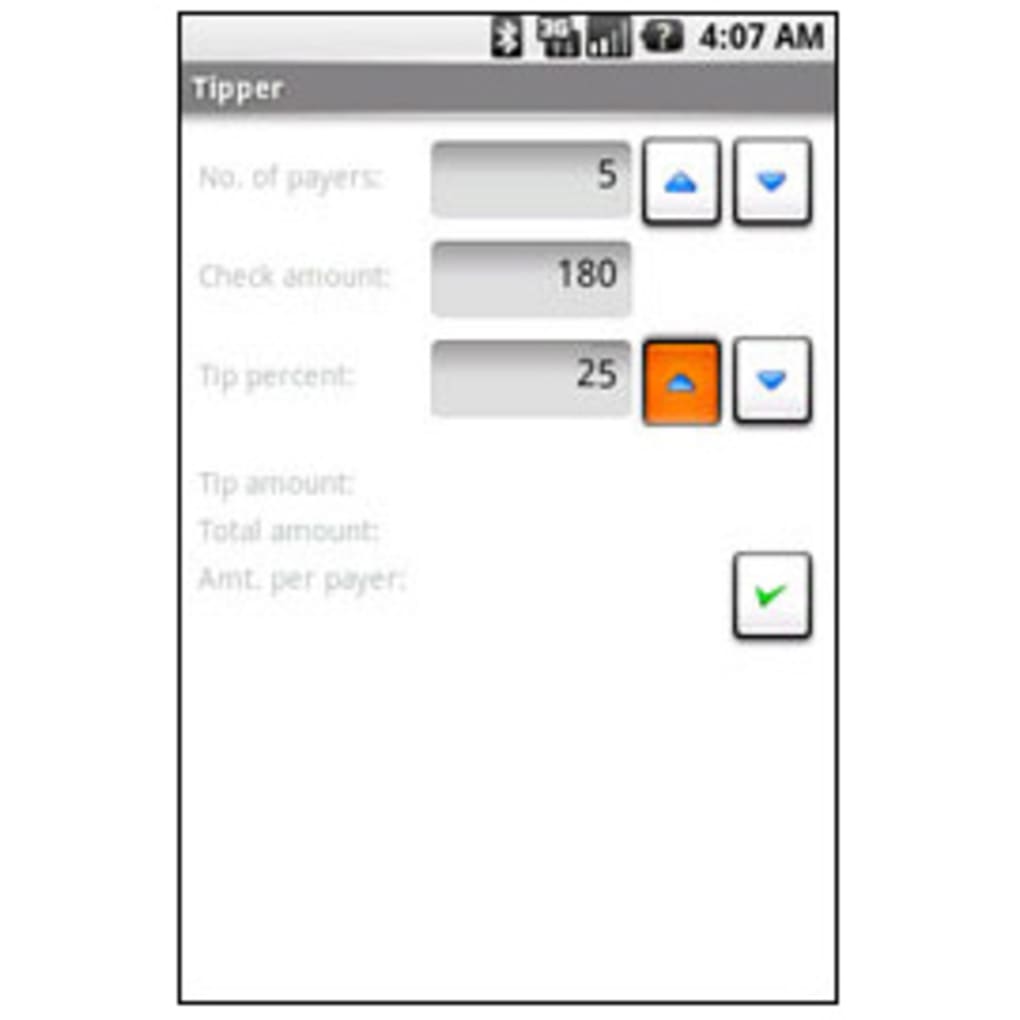
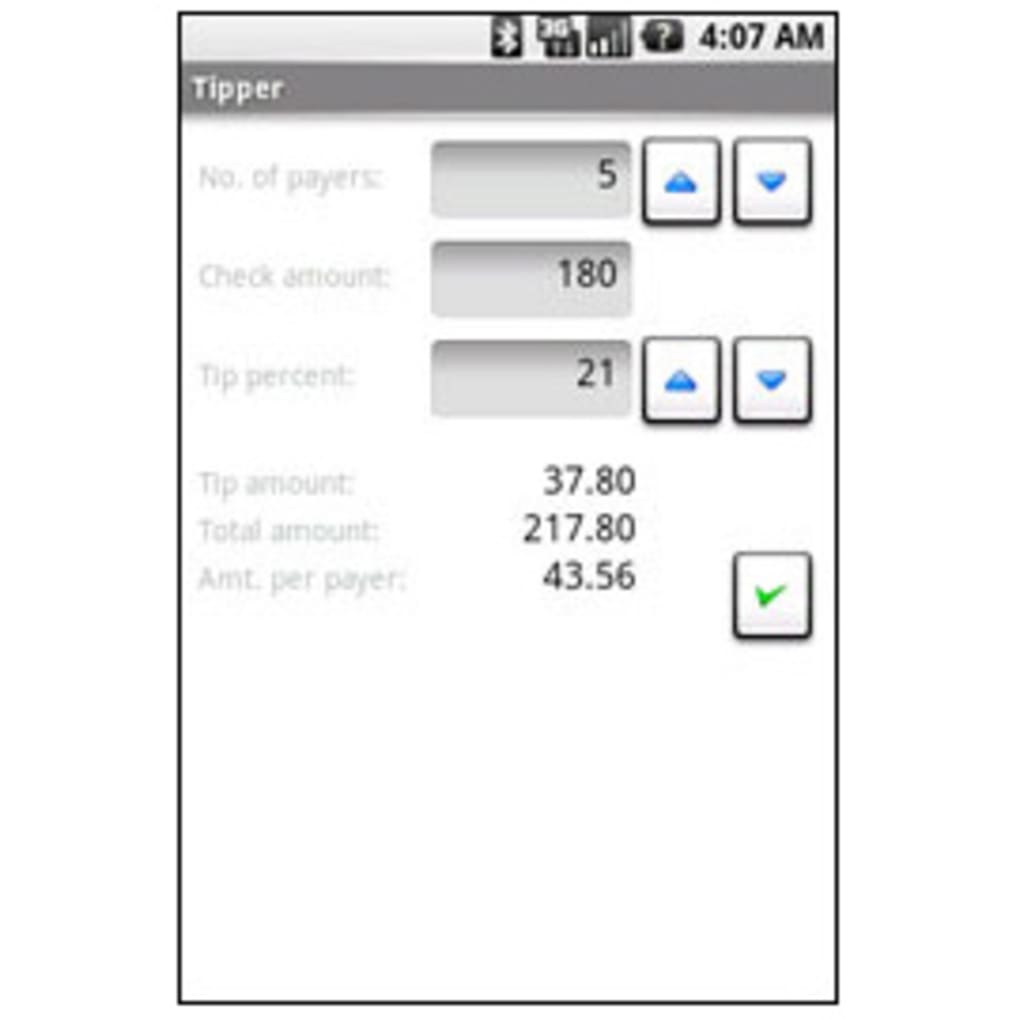
- Real-Time Total Calculation – After entering the total bill amount, number of payers, and tip percentage, users can instantly see the breakdown of individual contributions.
- Simple Interface – The app features a clean layout with minimal input fields, ensuring fast setup and ease of use.
- Update Checker – A built-in mechanism allows users to verify if a newer version is available, ensuring access to potential improvements.
For example, when dining with four friends and the total bill is $120 with a 18% tip, Tipper quickly computes the tip amount, total cost, and each person’s share. This eliminates manual arithmetic and reduces the risk of errors. The tool is ideal for users who want a no-frills, reliable way to manage shared payments without relying on mobile apps or spreadsheets. Its focused design ensures that users can complete the calculation in under 30 seconds.
User Interface, Workflow & Performance
Tipper features a minimalist user interface with clearly labeled input fields for the total bill, number of payers, and tip percentage. Navigation is intuitive, requiring only a single click to perform the calculation. The workflow is linear: enter data → press Calculate → view results. This design minimizes user effort and reduces cognitive load, making it accessible even to non-technical users.
The application launches quickly and maintains responsiveness during operation. No performance bottlenecks were reported in the provided documentation. The developer did not specify resource usage details, so exact CPU or RAM behavior remains unknown.
However, given the app’s small file size of 2.1 MB, it is expected to operate efficiently on most modern systems. Stability appears consistent, with no indication of crashes or freezes in the available information. The app does not require background processes or internet access, which contributes to its reliable performance.
Compatibility & System Requirements
Tipper is available for both Windows and Mac operating systems, making it accessible to a broad user base. The software is compatible with the latest versions of these platforms, though specific OS versions were not listed. The installation size is 2.1 MB, indicating a lightweight footprint that does not strain storage space.
Exact system requirements were not listed. The developer did not provide details on minimum processor speed, RAM, or disk space. However, the small file size and basic functionality suggest compatibility with standard desktop systems. Users should ensure their device supports the target OS before installation. No additional dependencies or drivers are required for operation.
Pros and Cons
Pros
- Simple, intuitive interface designed for quick use
- Free to download and use with no hidden costs
- Lightweight at only 2.1 MB
- Offline functionality ensures usability anywhere
- Accurate and fast bill splitting with customizable tip settings
Cons
- No real-time updates during input changes (requires manual 'Calculate' click)
- Limited to basic bill-splitting functions with no additional tools
- No support for itemized bill tracking or individual dish costs
- Missing detailed system requirements and performance metrics
- Only two platform options: Windows and Mac
FAQ Section
Is Tipper available for mobile devices?
Tipper is currently available as a desktop application for Windows and Mac. There is no official mobile version mentioned in the provided information.
Is Tipper safe to download and use?
Tipper is a free desktop application developed by the company Tipper. The software is distributed without known malware or security risks. As with any download, users should obtain it from official sources to ensure authenticity.
Does Tipper require an internet connection?
No, Tipper operates entirely offline. All calculations are performed locally on the user’s device, making it suitable for use in restaurants or other environments without internet access.
How often are updates released?
The software includes an update checker, which helps users stay informed about new releases. However, the update frequency or release schedule was not specified.
Can I use Tipper for business or professional settings?
Yes, Tipper can be used in professional contexts such as business lunches, team dinners, or client meetings where group expense splitting is needed. Its simplicity makes it a practical tool for quick, accurate calculations.
Final Thoughts
Tipper delivers on its promise: a no-nonsense solution for splitting restaurant bills among groups. With its clean interface, fast calculations, and free access, it stands out as a reliable utility for everyday use. While it lacks advanced features like itemized tracking or real-time updates, its focused design ensures that users get exactly what they need—accurate, instant bill splitting.
For anyone tired of the stress of manual math during group meals, Tipper offers a seamless, efficient alternative. It’s especially valuable for casual users and social diners who prioritize simplicity and speed. Though basic, the app fulfills its purpose effectively and without distractions.
Download Tipper now






.png)
